Websites for / Photography
Website builder for photographers
AI builds your photography website in minutes. A designer can review it before you launch.
Your photos sell you. The site’s job is to get out of their way, then answer the practical questions: what a session costs, what is included, and which dates are open.
Five quick questions, then a preview of your main pages in a few minutes. Launching starts your free month, and a card is required to start it.
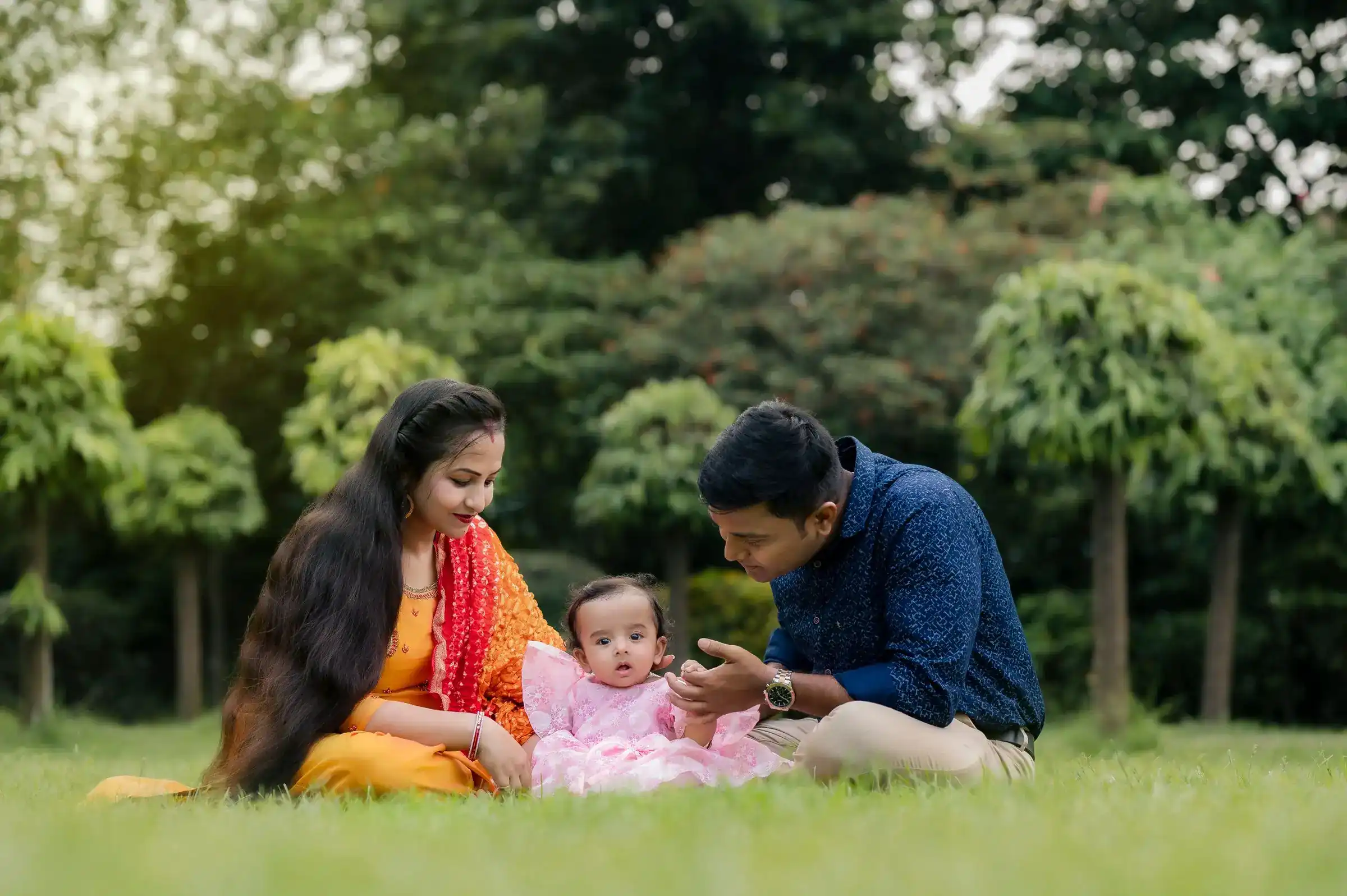
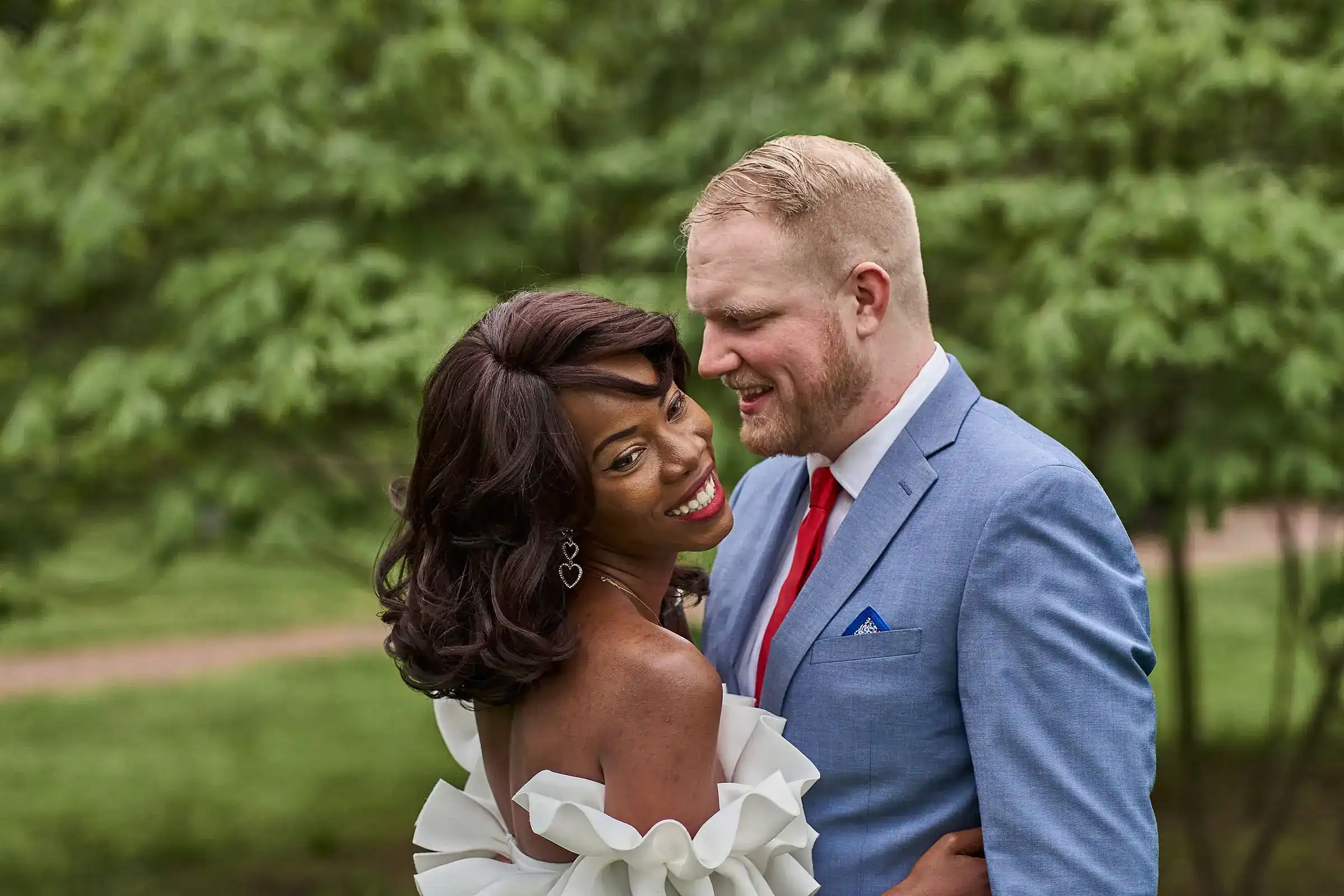
 (opens the live example in a new tab)
A photography site made with Developo
June Hale PhotographyNashville, TN
Family and newborn photography in Nashville
The example gives the gallery the second section of the page and keeps the text short around it, which is the right instinct for this kind of site.
Open the live example (opens in a new tab)
June Hale Photography is a made-up business. Names, people and phone numbers on the example are invented, and the photos are licensed stock. The site was made from a short brief, the way yours would be.
What a website for photographers needs
Your best work, big
A tight edit of your strongest images. Fewer and better beats many. Split galleries by type if you shoot more than one thing — weddings, families, newborns, or brand work.
Packages and prices
Session length, number of edited images, delivery time, and a starting price. If every job is custom, say what “starting at” includes.
How a session works
Planning call, location, what to wear, when photos arrive. People book a process, not only a portfolio.
A date-first inquiry
The form should ask for the date before anything else, plus the type of session and how to reach them.
A short about page that sounds like you
Why you shoot the work you shoot, and who you like to work with. Keep it secondary to the pictures.
A link to your client gallery tool, if you use one
Proofing and delivery usually stay in that tool. The website just needs a clear path to it for returning clients.
How Developo builds a photography site
Tell us what you shoot, where you are based, and that the site should collect inquiries (and a date). Pick a visual style that stays quiet enough for the work to lead. AI designs the main pages from that brief and emails a free preview.
Every plan includes hosting, a basic SEO setup with LocalBusiness schema using your contact details, and the free editor so you can replace every library image with your own. That is the most important edit you will make. Changing text and photos yourself never uses credits. Adding a new portfolio page with AI costs 3 credits.
On AI + Expert Review or Done-for-You, a designer can help the galleries lead, keep the type large enough, and make sure the inquiry form is easy to find on a phone.
Developo is not a client-proofing platform. Keep delivery in the gallery service you already use, and link to it.
More than a website: it runs your business
- Leads inbox. Every call-back and quote request from your site in one place.
- Booking requests. Customers pick a service and time; you accept from your phone.
- Analytics. See which pages bring you customers.
- Domain included. Your own web address on every plan, renewals too (up to $30/yr).
- Free tap-to-edit. Change text and photos yourself, any time.
Photographers often have beautiful portfolios and no prices anywhere. Clients who cannot tell if you are in their budget usually move on. Clear packages turn an admirer into an inquiry. The date is the first thing you check, so the form should ask for it first — not last, after a long about-me essay.

A first set of pages
| Page | What it is for |
- HomeBest work, what you shoot, inquiry
- PortfolioGalleries by type
- PricingPackages and what is included
- AboutYou and how you work
- For clientsLink to your gallery tool, session prep
- ContactDate and session inquiry
Questions from photographers
- Can I use my own photos everywhere?
- Yes, and you should. Upload them in the free built-in editor and swap any image on the site. Developo does not generate images with AI; launch previews use a library of real photographs until you replace them.
- Which style suits a portfolio?
- You pick a style in the brief. Minimal keeps the page quiet so the pictures lead. Bold suits sports and events work. Not sure? Pick one, preview it, and try another design if it is not right.
- Can clients view their galleries here?
- Client proofing and delivery usually live in a gallery service. Link to it from your site. Included plans are not a replacement for a client-gallery tool.
- How should I show packages without scaring people off — or underselling?
- List what is included: session length, number of edited images, delivery time, and a starting price. Clients who cannot tell if you are in their budget usually move on. If your work is custom, show a starting range and use the inquiry form for the rest.
- Can I separate wedding, family, and brand work into different galleries?
- Yes. Mention each type you want to be hired for in the brief so the portfolio can be split, or add a gallery page later (3 AI credits, or build it yourself in the editor). Keep each gallery a tight edit, not every frame from the shoot.
- The date is the first thing I check. Can the inquiry form ask for that?
- Yes. Tell us in the brief that inquiries should start with the date, the type of session, and a way to reach the client. You can refine the wording in the editor after the preview.
- Can I see my site before I pay?
- Yes. Answer five questions and Developo builds a preview of your main pages. Pick a plan only if you want to launch it, edit it and keep it. Every plan starts with a free month, and a card is required to start it.
Plans and pricing
Plans start at $29/month (USD) for AI Starter, $49/month plus a $199 Expert Launch Review for AI + Expert Review, or $1,499 plus $99/month for Done-for-You. Annual billing is lower. Every plan includes hosting, a basic SEO setup (titles, meta descriptions, sitemap, and LocalBusiness schema), and a free first month. Cancel anytime. See plans and prices for credits, add-ons, and terms.
The money part
- The preview is free See your main pages before you pick a plan. To launch, you add a card and start your free month, and if you cancel before it ends your plan is never charged.
- Your first month is free On every plan, monthly or annual, once per customer. Your plan is not charged for 30 days, and we email you 3 days before the free month ends with the date and the amount.
- Expert fees come back if we haven’t started The $199 Expert Launch Review and the $1,499 Done-for-You fee are paid upfront. Cancel before the work shows “In progress” in your account and the fee is refunded in full, automatically, to your card.
- Cancel anytime Account, then Billing, then Cancel plan. There is no contract. Cancel during the free month and your plan is never charged.
Same rules as checkout and our Terms. Your domain is included with your plan.
Now see it with your name on it.
Five quick questions, then a preview of your main pages in a few minutes. Launching starts your free month, and a card is required to start it.
See your photography website free