Websites for / Landscaping and lawn care
Website builder for landscapers
AI builds your landscaping website in minutes. A designer can review it before you launch.
Landscaping is sold with pictures. A customer looks at a finished backyard and thinks “that, at my house.” The rest of the site just has to make the next step obvious: a weekly mow, a cleanup, or a conversation about a larger project.
Five quick questions, then a preview of your main pages in a few minutes. Launching starts your free month, and a card is required to start it.

 (opens the live example in a new tab)
A landscaping site made with Developo
Fern & Stone GardensPortland, OR
Garden design and planting for Portland backyards
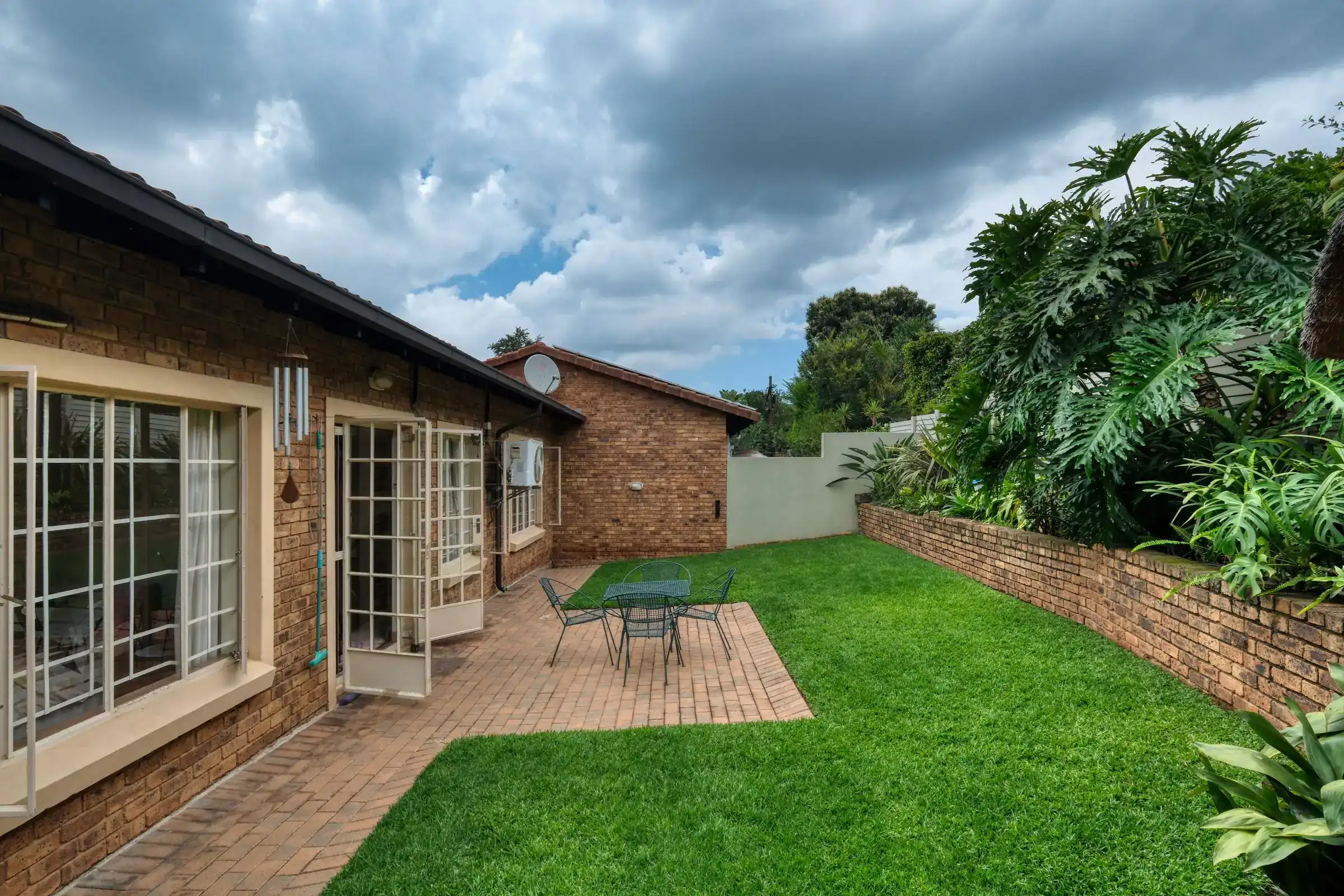
The example leads with finished outdoor work and then explains the difference between ongoing care and larger projects, which is how most landscaping customers actually shop.
Open the live example (opens in a new tab)
Fern & Stone Gardens is a made-up business. Names, people and phone numbers on the example are invented, and the photos are licensed stock. The site was made from a short brief, the way yours would be.
What a website for landscapers needs
Finished work, shown large
Before-and-after or finished yards, with a short caption: what was planted, built, or taken out. Your own photos will always beat stock.
Maintenance versus projects, kept distinct
Mowing, beds, and seasonal cleanups are packages. Patios, planting plans, and fences are quotes. Mixing them into one paragraph hides both.
Where you work
Named towns and, if it matters, the kinds of yards you take (small urban lots versus larger properties).
A simple way to request a visit or a quote
For weekly work, ask about lot size and frequency. For a project, ask about the space and a rough timing.
The season, honestly
When you are fully booked, whether you take snow or design work in winter, and when to call for spring.
Who will be on the property
A short About section helps when someone is about to let a crew through the side gate.
How Developo builds a landscaping site
Tell us whether you are primarily a maintenance crew, a design-and-build studio, or both, plus the area you cover and what you want people to do (request a mow, a cleanup, or a project quote). AI designs the main pages around that brief and sends a free preview.
The site can include a gallery-style layout, service pages, a named service area, and request forms. Every plan includes hosting and basic SEO, including LocalBusiness schema with your contact details. After launch, swap in your own project photos in the free editor and update packages when your spring prices change. Prompted AI changes use monthly credits; adding a new page with AI costs 3 credits.
A designer on AI + Expert Review or Done-for-You can help the photos lead and keep the maintenance offers from getting lost under the project gallery.
If you already schedule with an app, the request button can link to it. A custom booking integration is a quoted service from $799, on the pricing page.
More than a website: it runs your business
- Leads inbox. Every call-back and quote request from your site in one place.
- Booking requests. Customers pick a service and time; you accept from your phone.
- Analytics. See which pages bring you customers.
- Domain included. Your own web address on every plan, renewals too (up to $30/yr).
- Free tap-to-edit. Change text and photos yourself, any time.
The work is also seasonal. People hunt for a crew in spring, think about patios when the weather is good, and forget you in January unless you say what you do in the off-season. A good landscaping site is a gallery with a calendar behind it, not a generic “quality outdoor services” page.
A first set of pages
| Page | What it is for |
- HomeBest project photos, what you offer, a request
- Garden and landscape projectsDesign, planting, hardscape — with photos
- Lawn and maintenanceRecurring care and seasonal cleanups
- Service areaTowns you cover
- AboutWho shows up and how you work
- ContactProject quote or maintenance request
Questions from landscapers
- Can I list prices for mowing?
- Yes, if you want to. Recurring work such as mowing or a spring cleanup often benefits from a starting price or a simple package. For design and install projects, a quote request is usually better than a fake total.
- Can customers book a regular weekly slot?
- The site can take a request for a recurring visit, or the button can link to the scheduling tool you already use. Developo’s included plans do not run a full booking calendar themselves.
- I only work in spring to fall. Is that a problem?
- No. Say so in the brief and on the site: your season, what you take in the off-season (design, snow, or nothing), and when books fill up. You can update that copy yourself whenever the season changes.
- How many project photos should I put on the site?
- Fewer, better ones. A tight set of finished yards, with a line about what you did, beats a dump of every photo on your phone. Upload your own shots in the free editor and replace any library images.
- Can I separate lawn care from design and builds?
- Yes. They are different buyers. Maintenance can have packages and a recurring request. Design and installs can have a gallery and a project-quote form. Mention both in the brief if you offer both.
- Can I add a page for a new service such as irrigation or lighting later?
- Yes. Include it in the first brief, or add a page later with AI for 3 credits, or write it yourself in the editor at no credit cost.
- Can I see my site before I pay?
- Yes. Answer five questions and Developo builds a preview of your main pages. Pick a plan only if you want to launch it, edit it and keep it. Every plan starts with a free month, and a card is required to start it.
Plans and pricing
Plans start at $29/month (USD) for AI Starter, $49/month plus a $199 Expert Launch Review for AI + Expert Review, or $1,499 plus $99/month for Done-for-You. Annual billing is lower. Every plan includes hosting, a basic SEO setup (titles, meta descriptions, sitemap, and LocalBusiness schema), and a free first month. Cancel anytime. See plans and prices for credits, add-ons, and terms.
The money part
- The preview is free See your main pages before you pick a plan. To launch, you add a card and start your free month, and if you cancel before it ends your plan is never charged.
- Your first month is free On every plan, monthly or annual, once per customer. Your plan is not charged for 30 days, and we email you 3 days before the free month ends with the date and the amount.
- Expert fees come back if we haven’t started The $199 Expert Launch Review and the $1,499 Done-for-You fee are paid upfront. Cancel before the work shows “In progress” in your account and the fee is refunded in full, automatically, to your card.
- Cancel anytime Account, then Billing, then Cancel plan. There is no contract. Cancel during the free month and your plan is never charged.
Same rules as checkout and our Terms. Your domain is included with your plan.
Now see it with your name on it.
Five quick questions, then a preview of your main pages in a few minutes. Launching starts your free month, and a card is required to start it.
See your landscaping website free